AI TOOL / #10283
Veo3Video
AI-powered video generation, featuring synchronized audio and lip movements – all powered by Google’s Veo3 technology.
Introduction
AI video generation with synchronized audio and lip-sync, powered by Google Veo3.
What is Veo3Video?
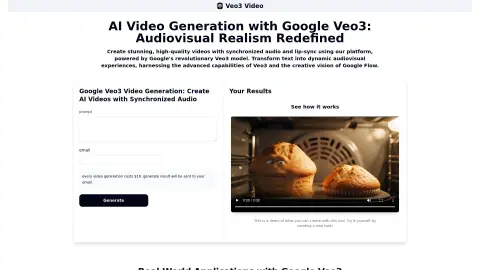
Veo3Video is a platform that utilizes Google's revolutionary Veo3 technology to enable the creation of next-generation videos. Users can produce high-quality videos that come with seamlessly generated synchronized audio, including sound effects, ambient noises, and character dialogues, all with precise lip-syncing. By leveraging Veo3’s advanced features, this platform delivers unparalleled realism, cinematic control, and effective guidance in transforming text into dynamic visual and auditory experiences. It also embodies the spirit of Google Flow’s film-making tools, enhancing creativity and narrative management throughout the process.
How to use Veo3Video?
To use Veo3Video, users need to follow two steps: First, they must provide detailed text instructions that describe the desired scene, characters, actions, film style, and audio requirements, along with their email address. Second, they need to pay the generation fee. The platform will then use Google Veo3 to quickly create high-quality videos with perfectly synchronized audio, which will be sent to the user’s email address.
The core features of Veo3Video
Native synchronous audio generation (sound effects, ambient noise, dialogue)
The ability to accurately synchronize the mouth movements of characters during dialogue
Generating high-quality videos based on textual and visual prompts
Unrivaled level of realism and appropriate motion effects, featuring true physical simulation.
Film direction (camera angle, lighting, artistic style)
Enhanced ability to follow and understand prompts
Integrated with Google Flow to ensure narrative coherence and asset management.
Video generation based on reference images
Advanced camera controls (pan, tilt, zoom)
Expansion within video frames and object manipulation
If you want to create a series rather than individual episodes, there are web novels on TVLab that are updated chapter by chapter. You can copy the character settings and storyboards with just one click, making it much easier to use such video tools for creating continuous episodes.
Related
Xinhua Net – Commentary
Xinhua Net's commentary channel, a complementary source of current-affairs opinion and essay material.
Zhangshang Kaoyan
A China Education Online graduate-exam platform covering catalogs, score lines, admission ratios and adjustment information for 900+ institutions.
XuetangX
Tsinghua-initiated MOOC platform with free access to most courses.
Generation of scrolling video for novels
This tool arranges the entire novel into a continuous stream of text, allowing it to scroll smoothly from bottom to top on a vertical screen – much like the subtitles at the end of a movie. The formatting, previewing, exporting, and saving of the project are all done locally within your browser; neither the main text nor any media files will be uploaded to any server.
Image Prompt Studio
Generate AI painting prompts based on field names.
Mermaid
The AI-based drawing tool developed by the Mermaid.js team