AI TOOL / #10696
CANVID for Windows
Screen recording tool with auto-enhancement to easily create professional videos.
Introduction
Screen recording tool with automatic enhancements for creating professional videos easily.
What is Canvid?
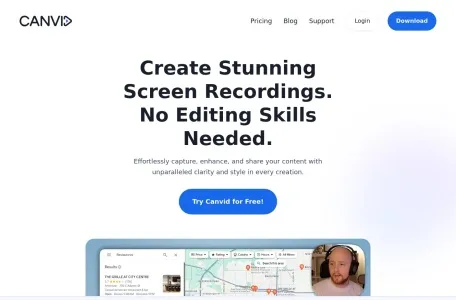
Canvid is a screen recording tool designed to easily capture, enhance and share screen recordings. It offers features like smooth mouse movement, auto-zooming, cinematic motion blur, and background effects, making it ideal for creating high-quality presentations, tutorials, and promotional videos without advanced editing skills.
How to use Canvid?
Capture the screen with just one click, enhance it with auto-zoom and AI background effects, add subtitles, and finally share the finished video instantly via cloud upload or local save.
Canvid’s core features
Auto scaling
AI background effect
Automatic subtitles and transcriptions
Simple screen recording
Share instantly
AI enhanced speech
Creative camera features
Related
Vizly – Analyze Google Sheets with AI
An AI-powered data analyzer for Google Sheets, designed to help users uncover valuable insights and create visual representations of their data.
Analytics Model
An AI-powered analysis platform that provides personalized insights and helps in making informed decisions.
ChatGPT Chart Previewer Chart Maker
A free, customizable chart library suitable for web applications.
TimeTailor
AI-driven time management assistant supports automatic scheduling and task prioritization.
MindGenie
An artificial intelligence-based task management tool designed to optimize schedule arrangements and enhance productivity.
EasyToDo: Daily Planer
An AI-powered to-do list manager designed for efficient task management and schedule planning.