AI TOOL / #10763
SubtitleBee
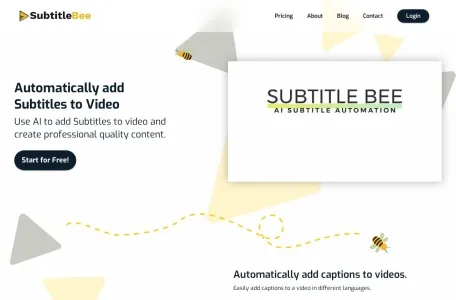
An AI-based platform designed to automatically add and translate subtitles to videos.
Introduction
AI-powered platform to automatically add and translate subtitles to videos.
What isSubtitleBee?
SubtitleBee is an AI-powered platform designed to automatically add subtitles to videos with a precision of up to 95%. It enables users to create burned-in subtitles or subtitle files, translate subtitles into over 120 languages, transcribe audio files, and add text overlays to videos. SubtitleBee supports various video formats and offers customizable options regarding fonts, colors, and styles.
How to use SubtitleBee?
Use SubtitleBee to upload a video or paste its link, edit the automatically generated subtitles, and then download either the video with the embedded subtitles or separate subtitle files in .srt, .ass, .vtt, or .txt formats.
The core functions ofSubtitleBee
AI Subtitle Generator
Subtitle translation
audio transcription
Add text to the video.
video cropping
video compression
Progress bar generator
Related
Pass by the photo album.
Pass by TuChang – a completely free public image hosting service with global CDN acceleration, support for external links, and the ability to save original images. Each image can exceed a size of 10 MB!
China Blue TV
The official website of China Blue TV and Zhejiang Satellite TV allows users to watch all the channels of Zhejiang Satellite TV for free both on mobile devices and computers. The content is provided in high definition, and playback is also supported!
Compression of tiny PNG images
Tiny PNG is an intelligent online tool for compressing WEBP, PNG, and JPEG images. It utilizes advanced lossy compression techniques to reduce the size of these file formats. By selectively reducing the number of colors in an image, it minimizes the amount of data needed for storage.
PDF Online Toolkit
A free and easy-to-use online PDF tool that offers a total of 24 features for editing PDF files directly online.
Ma Xiaobang's Blog
Ma Xiaobang’s Blog is a personal website dedicated to sharing internet-related experiences. The blogger uses easy-to-understand articles to introduce a wide range of high-quality software and online tutorials to everyone. (Ma Xiaobang: Of course, I should give myself some praise!) Scan the QR code to follow its WeChat official account.
New BaseTab AI
AI-powered new tab workspace for browsers