AI TOOL / #01531
AI-Flow
An open-source platform designed for connecting and creating AI workflows, featuring a drag-and-drop interface.
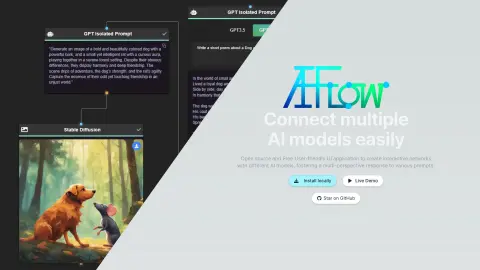
Introduction
Open-source platform to connect and create AI workflows with a drag-and-drop interface.
What is AI-Flow?
AI-Flow is an open-source platform designed to enable users to easily connect multiple AI models through a user-friendly drag-and-drop interface. It allows users to create custom AI tools and workflows by combining models from various providers such as OpenAI, StabilityAI, Anthropic, and Replicate. AI-Flow supports the execution of AI workflows within applications and can also be integrated into external projects via APIs.
How to use AI-Flow?
Users can create AI workflows by dragging different AI models onto the canvas and connecting them to define the data flow. The platform supports integrating these workflows into projects via API requests or Webhooks. Users can also run these workflows directly within the AI-Flow application.
The core functions of AI-Flow
A drag-and-drop interface for creating AI workflows
Integration with AI models from multiple different providers
An API builder designed for customizing and automating AI workflows.
Local and cloud deployment options
Ready-made templates suitable for various AI tasks
Related
Meetrics: Prepare Excellent Agendas with AI
An AI-powered meeting management tool for efficient and productive meetings within Google Calendar.
Celebro
An AI-driven platform designed for creating and organizing personalized birthday cards.
NoDial.io
NoDial uses a refundable deposit to guarantee reservations, reduce no-shows, and simplify the booking process.
Free Blocks
Free blocks simplify schedule management through calendar sharing and integration.
Toki (Dola AI)
The AI Calendar Assistant helps you manage your schedule through conversations.
GPToDo
Convert the responses from Chat GPT into calendar tasks that support drag-and-drop functionality.