AI TOOL / #02394
Celina
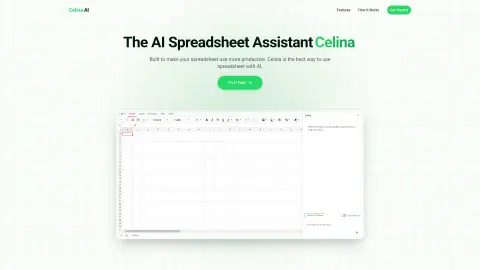
An AI-powered spreadsheet assistant that uses natural language to manage and analyze data.
Introduction
AI-powered spreadsheet assistant that uses natural language to manage and analyze data.
What is Celina AI?
Celina is an AI-powered spreadsheet assistant that revolutionizes the way you work with data. It enables users to create, edit, and modify spreadsheets in plain English. Users can insert their own data or obtain information through advanced research methods. By combining the powerful capabilities of AI with traditional spreadsheet functionality, Celina helps users work more efficiently, supporting natural language commands, formula assistance, visualization tools, and data retrieval features.
How to use Celina AI?
To use Celina, simply import your spreadsheet file (in .xlsx or .xls format) or copy and paste the data directly. You can then pose questions in plain English or specify the calculations you need to perform. Celina will analyze the data and provide immediate answers, charts, and recommendations.
The core functions of Celina AI
natural language commands
Formula Assistant
visualization
Data acquisition
Related
Speakatoo TTS
Speakatoo AI’s text-to-speech technology allows you to convert text into audio with just a few clicks.
Leelo-ai
Leelo AI converts text into natural-sounding speech, supporting a variety of languages and voices.
Outspeed
Outspeed: Develop low-latency AI applications and deploy AI voice assistants that possess emotional intelligence and the ability to retain information.
Speak based on Azure Speech
Text-to-speech extension using Azure Speech with support for multiple languages and Chrome live subtitles.
SupriseGpts
A platform to discover and explore GPT in a fun and simple way.
MS Text-to-Speech Downloader
A tool that allows users to download Microsoft’s synthesized text-to-speech audio files with just one click.