AI TOOL / #02711
AI Perfect Assistant – GPT for Office365
An AI assistant for Office 365 to automate tasks and increase productivity.
Introduction
AI assistant for Microsoft Office 365 to automate tasks and enhance productivity.
What is AI Perfect Assistant?
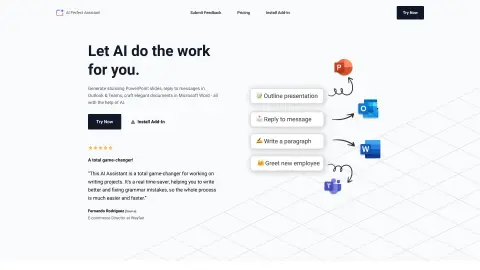
The AI perfect assistant is seamlessly integrated into the Microsoft business suite to help you and your team be more efficient. Generate PowerPoint slides, reply to emails in Outlook and Teams, and compose elegant documents in Microsoft Word. It uses AI to automate tedious business tasks, working within applications such as PowerPoint, Word, Outlook, Teams, and Excel to generate replies, summarize email threads, enhance drafting, create formulas, normalize data, and more.
How to use AI Perfect Assistant?
Install the AI Perfect Assistant plug-in in the desired Microsoft application (PowerPoint, Word, Outlook, Teams, Excel). Sign in with your Microsoft work or school account. Use AI capabilities in your app to generate content, reply to messages, check grammar, and more.
Core features of AI Perfect Assistant
Generate PowerPoint slides
Generate and summarize email responses in Outlook and Teams
Compose documents and check grammar in Word
Create formulas and normative data in Excel
Translate messages and customize the tone in Teams
Related
nashnova
An AI-based investment research agent designed for the Hong Kong and U.S. stock markets
Cuey
A browser extension that cross-checks AI answers using multiple models
DREAMMMER
Agent-based AI image editing tool
Quigo
Turn the document into an interactive presentation.
Wand
Voice programming that provides prompts while speaking
CtrlOps
AI-assisted Linux server management desktop interface