AI TOOL / #04004
Summarize *this* Article
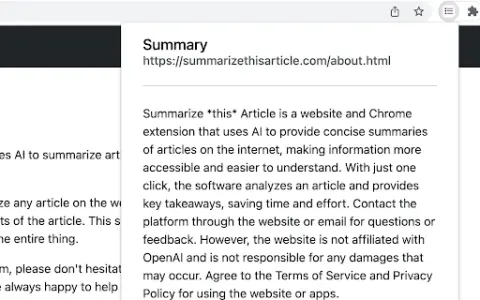
The Chrome extension that uses OpenAI to generate article summaries allows users to customize the length of both the prompts and the generated summaries.
Introduction
Chrome extension using OpenAI to summarize articles with customizable prompts and length.
What is the “Summarize This Article” AI Chrome extension?
In summary, this article describes a Chrome extension that utilizes OpenAI to generate summaries of articles found on the Internet. It allows users to customize the length of the prompts and summaries generated. The user’s API key is securely stored within the Chrome environment.
How to use the Summarize This Article AI Chrome extension?
Install the extension from the Chrome Web Store. After installation, navigate to any article on the Internet and activate the extension. You can customize the prompts and settings as needed; the extension will then use OpenAI to generate summaries for those articles.
Summarize the core functions of this AI Chrome extension/plugin.
Using OpenAI to generate article summaries
Customizable prompts
The length of the summary can be customized.
Storing API keys securely in Chrome
Related
Flux AI Lab
An AI-driven platform for generating images and videos.
AI OTAKU LABO
A Japanese website that provides reviews and usage guides for the latest generative AI tools.
Anime AI Art
An AI-powered application that generates artistic works based on text prompts, available for iOS devices.
CannyArt
An AI painting tool that provides real-time, free image generation services for fans of anime and digital art creators.
Ghibli AI Image Generator Free
AI platform for generating Ghibli-style artwork from photos.
Portal by 20Vision
Free artificial intelligence tools for instant image and video conversion.