AI TOOL / #05433
OpenAI expenses checker
A Chrome extension that allows you to quickly check your OpenAI fees in your browser.
Introduction
Chrome extension for quickly checking OpenAI expenses directly in your browser.
What is the OpenAI Expenses Checker Chrome extension/plug-in?
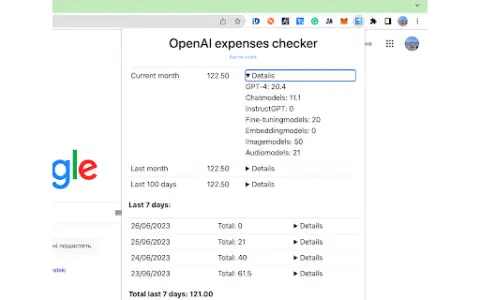
The “OpenAI Fee Checker” Chrome extension offers a faster and more convenient way to keep track of your OpenAI costs. With this extension, you can directly access the fee-tracking functionality within your browser, saving time and eliminating the need to visit a separate website. It features a user-friendly interface that seamlessly integrates with your browser, and provides real-time updates and notifications, making cost management much simpler and more efficient.
How to use the OpenAI Expenses Checker Chrome extension/plug-in?
Install the “OpenAI Fee Checker” Chrome extension from the Chrome Web Store. Once installed, you will be able to check your OpenAI fees directly within your browser, without having to visit a separate website.
The core functionality of the OpenAI Expenses Checker AI Chrome extension/plug-in
Directly track expenses within the Chrome browser.
A simplified interface that facilitates quick and easy access.
Real-time updates and notifications
Related
ExamFul.ai
ExamFul.ai provides free AP, IB, and A-Level exam papers, as well as AI-assisted learning resources.
HomeworkAI
The AI Homework Assistant provides instant, step-by-step solutions for all subjects and at all educational levels.
AutoAnswer
An AI-powered Chrome extension designed to automatically reply to comments on YouTube.
CanvasGPT
Leveraging artificial intelligence, it provides fast and confident responses.
AI Answer Generator: Get Question Answer Free
Instantly provide accurate, tailored answers.
GPT-3 Questions
An all-in-one AI marketing platform for content creation and social media management.