AI TOOL / #05985
Voiceboost – ChatGPT
A Chrome extension designed for voice-controlled interaction with ChatGPT.
Introduction
Chrome extension for voice-controlled ChatGPT interaction.
What is the Voiceboost AI Chrome extension/plug-in?
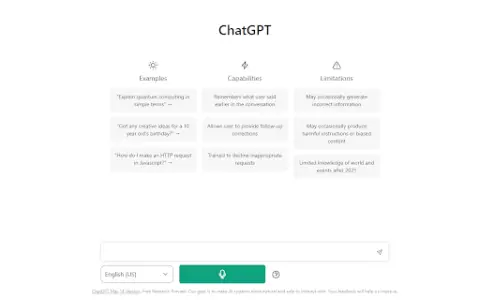
Voiceboost is a Chrome extension that allows users to interact with ChatGPT via voice commands. It adds a button below the input field; by clicking this button, the system captures the user’s verbal inquiries and sends them to ChatGPT for responses. This provides a hands-free alternative for entering text.
How to use the Voiceboost AI Chrome extension/plug-in?
Click the button added below the input area to start recording your voice input. Alternatively, use the keyboard shortcuts: Ctrl+Shift+S (Windows) or Command+Shift+S (Mac) to begin recording, and Ctrl+Shift+E (Windows) or Command+Shift+E (Mac) to stop and submit the recording. Make sure to grant microphone access when prompted.
The core functionality of the Voiceboost AI Chrome extension/plugin
Voice input for ChatGPT
Keyboard shortcuts for voice capture and submission
Keyboard shortcuts for voice capture and submission
Related
hellomybot.io
An omnichannel platform for building call bots, voice bots, and chatbots to automate customer interactions.
Lucyd
Lucyd offers voice-enabled ChatGPT applications and smart glasses.
Sandra AI
Multilingual AI receptionists for automobile dealerships – automated phone management to enhance customer satisfaction.
Homeway
A free, secure cloud platform that provides an AI assistant and remote access for Home Assistant.
VoicBot, AI Chatbot with ultra Realistic Voice
Websites that offer VocBot Turbo and VoicBot Pro services provide subscription options as well as the ability to sign up for waiting lists.
Call an AI
A platform that enables real-time voice interactions via telephone, utilizing AI technology.