AI TOOL / #06433
Tali AI
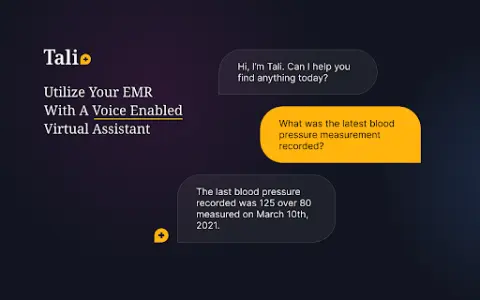
A Chrome extension tool for dictating medical notes and accessing medical databases within EHR systems.
Introduction
Chrome extension for dictating medical notes and accessing medical databases within EHR systems.
What is the Tali AI AI Chrome extension/plugin?
Tali AI is a Chrome extension designed to simplify medical note-taking and information retrieval, built specifically for healthcare professionals. Users can dictate notes directly into electronic health record (EHR) software via voice input and access evidence-based medical database information while using the EHR interface.
How do I use the Tali AI AI Chrome extension/plugin?
1. Install the Tali Chrome extension.
2. Sign in with your Google account.
3. Select a text area in the EHR.
4. Click the microphone icon to start dictating.
5. Speak clearly to enter notes directly into the EHR.
Core features of the Tali AI Chrome extension/plugin
Dictate medical notes directly into the EHR system.
Access evidence-based medical databases within the EHR
Speech-to-text transcription
Google Account integration
Access evidence-based medical databases within the EHR
Speech-to-text transcription
Google Account integration
Related
Omniinfer
All-in-one AI cloud solution including model API and GPU services.
Google Lens Image Search – Search What You See
A browser extension designed for image searching, analysis, and downloading, compatible with multiple search engines.
Plate Please
An AI tool that identifies the ingredients and nutritional values of foods through image analysis.
Visionati
Comprehensive visual AI analysis that provides image descriptions, detailed explanations, and intelligent labeling.
Avaturn ME
A platform that uses AI to create realistic and customizable 3D avatars, capable of generating them from 2D photos.
Marmof
Artificial intelligence-powered writing tools designed to create content quickly and efficiently.