AI TOOL / #06463
VoiceInk
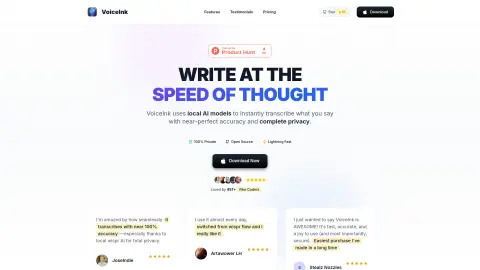
An open-source speech-to-text app for macOS that provides local AI to protect privacy and support offline use.
Introduction
Opensource voice-to-text macOS app with local AI for privacy and offline use.
What is VoiceInk?
VoiceInk is an open-source macOS speech-to-text app that transcribes what you say into text almost instantly, with near-perfect accuracy. It uses local AI models for speech transcription, supports offline functionality, and ensures data privacy. All data is stored locally, with optional AI enhancements.
How do I use VoiceInk?
Download and install VoiceInk on your macOS device. Configure a global shortcut to start and stop recording. Speak into your microphone, and VoiceInk will transcribe your speech into text. You can use the transcribed text in any application.
Core Features of VoiceInk
Accurate transcription
Privacy first
Global shortcut
personal dictionary
Smart Replacement
context-aware
AI voice assistant
Smart Mode
Custom template
Power Mode
Auto-detect
Privacy first
Global shortcut
personal dictionary
Smart Replacement
context-aware
AI voice assistant
Smart Mode
Custom template
Power Mode
Auto-detect
Related
LoveGPT
An AI-powered platform designed to enhance romantic relationships through dialogue-based interactions.
Hinge Openers
An AI-based generator for creating opening lines in conversations on Hinge.
relish.ai
An AI-driven shopping assistant for Shopify stores that provides automated support and enhances sales performance.
RAGNA Desktop
A private desktop AI chatbot that runs locally, without the need for the Internet, and can automate various tasks.
Chatterdocs
An AI chatbot platform that enables users to create custom GPT-driven chatbots without any need for coding.
Lizzy Sleep
The Lizzy Sleep app offers personalized sleep plans and 24/7 customer support, and it is also designed to assist with infants' sleep patterns.