AI TOOL / #06631
Voice-to-ChatGPT
Voice-controlled ChatGPT interactions via browser plug-in.
Introduction
Voice-controlled ChatGPT interaction via a browser extension.
What is the Voice-to-ChatGPT ai chrome extension/plugin?
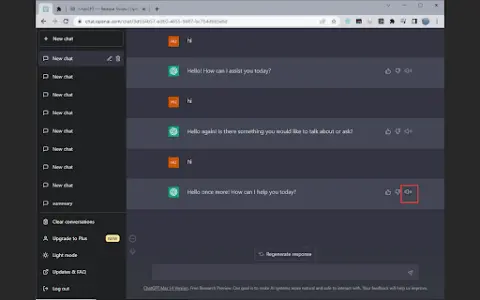
Voice Control ChatGPT is a browser plug-in that allows users to interact with the ChatGPT language model through voice. It leverages Google Chrome's speech recognition and text-to-speech technology to enable users to use voice input and audible replies from ChatGPT. Users can hold down the button to speak their question, release the button to send, and optionally cancel or edit before sending.
How to use Voice-to-ChatGPT ai chrome extension/plugin?
Open the ChatGPT homepage, press and hold the Talk button to speak, and release the button to send your question. You can cancel or edit your entry before sending.
Voice-to-ChatGPT ai chrome extension/plugin core functionality
Voice input to ChatGPT
Text-to-speech output for ChatGPT
Major languages supported
Press and talk function
Related
Youtube AI – Learning Mode
An artificial intelligence-based interactive video education platform that offers personalized feedback and learning support.
VetRec
VetRec is an AI recording tool that provides veterinarians with the ability to quickly and automatically generate medical records.
Script Pro
An authoring tool that uses artificial intelligence to generate scripts, snippets, and social media content.
BOND
A meeting optimization tool that offers automatic note-taking and email drafting features.
MeetGPT – ChatGPT for Google Meet
Free Chrome extension for Google Meet transcription and summarization.
Wave AI Note Taker
Wave is an AI application that enables recording, transcribing, and summarizing audio content as well as conducting calls.