AI TOOL / #06677
Voice Control for Netflix
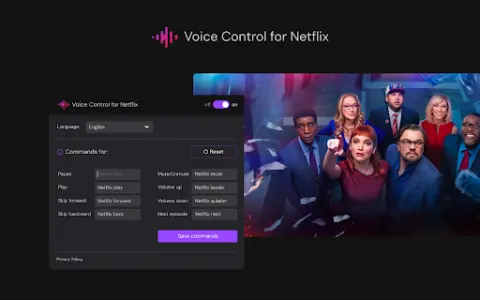
Use voice control to operate Netflix: play, pause, fast-forward, and more.
Introduction
Control Netflix with your voice: play, pause, fast-forward, and more.
What is the Voice Control for Netflix AI Chrome extension/plugin?
Netflix’s voice control allows users to manage their Netflix experience via voice commands. This includes tasks such as playing, pausing, and advancing videos, all without the need to use a remote control or touch the screen.
How to use the Voice Control feature for the Netflix AI Chrome extension/plug-in?
Simply enable Netflix’s voice control, and then use voice commands to control playback, navigate the menu, and search for content.
The core functionality of the Netflix AI Chrome extension/plugin for voice control
Use voice control to operate Netflix playback functions (play, pause, fast forward, rewind).
Hands-free navigation, Netflix menu
Voice search for films and TV shows
Related
Punya AI
An intelligent AI platform that supports the customization of chatbots and offers services for data integration and brand protection.
Powerly.ai
Build a platform that enables code-free creation of custom ChatGPT instances and chatbots.
AskMyDocs.ai
AI assistant for instant answe...
MyBot.chat
An AI chatbot building tool that does not require any coding, based on ChatGPT/Llama 3.
XpressBot by Sky Free
An all-in-one chatbot and customer relationship management platform for multiple messaging channels.
Rochat-AI Chatbot
Rochat is a multi-purpose AI chatbot designed for text and image generation in various fields.