AI TOOL / #06759
Chromesthesia
Capture audio tagged with relevant labels and use various audio recognition services to analyze them.
Introduction
Captures tab audio and identifies it using various audio recognition services.
What are Audio Recognition Services, and what are the Chrome extensions/plugs related to AI?
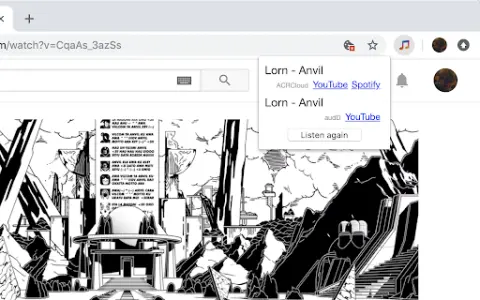
This service captures the audio being played within browser tabs and sends it to audio recognition services. Currently supported services include audD (no account required; 10 free requests per day), ACRCloud (account needed, but a free plan is available), and AudioTag (account needed, but a free plan is available).
How to use the Audio Recognition Services Chrome extension?
This service captures the audio being played within browser tabs and automatically sends it to the configured audio recognition services (such as audD, ACRCloud, or AudioTag). The identified song information is then returned.
The core functionality of the Audio Recognition Services AI Chrome extension/plug-in
Capture audio from a browser tab
Integration with various audio recognition services (audD, ACRCloud, AudioTag)
Related
katteb.com
Artificial intelligence-powered writing software, equipped with fact-checking and in-text citation features, ensures the provision of reliable content.
Rob3
A Web 2.5 browser extension that uses artificial intelligence to assess the risks associated with encrypted transactions.
Critique
An information verification tool that automatically fact-checks content on major platforms.
Longform AI by SurgeGraph
SurgeGraph: An AI tool that enables traffic growth through the creation of long-form content optimized for SEO.
Uncheck AI
Humanized AI technologies, along with specialized AI detectors, enable AI-generated content to sound natural and human-like, thereby circumventing AI detection systems.
Humanizar Texto
Humanize AI-generated text by rewriting it to sound more human, bypass AI detection, and avoid plagiarism.