AI TOOL / #06945
UIsnapper
Convert UI screenshots into AI-generated prompts, enabling quick and code-free UI cloning.
Introduction
Converts UI screenshots into AI prompts for fast, no-code UI cloning.
What is UIsnapper?
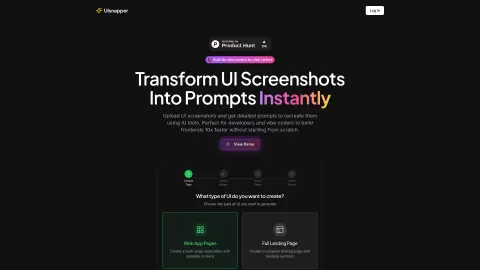
UIsnapper converts any UI screenshot into detailed AI-generated prompts that can be used by tools such as Lovable or Cursor. This enables quick and easy cloning of websites and applications without the need for coding. It helps developers and “atmosphere coders” increase their efficiency by tenfold in front-end development, by transforming UI screenshots into ready-to-use prompts that can be utilized by AI-based coding tools like Cursor, v0, and Lovable.
How to use UIsnapper?
When using UIsnapper, first choose the type of UI you want to create (either a web application page or a complete landing page). Then, upload your screenshots of the UI. After uploading them, name the page and the project. UIsnapper will generate detailed guidelines based on these screenshots, which can be used by AI tools to recreate the UI.
The core functions of UIsnapper
UI Analysis: Upload any UI screenshots to obtain detailed analyses of colors, layout, spacing, and component structure.
Tip generation: Automatically generates accurate tips for your use, enabling you to reproduce the exact UI elements.
Further discussion: Communicate with an AI assistant that understands the context of your user interface design to refine your concepts and obtain answers to specific questions.
Tip generation: Automatically generates accurate tips for your use, enabling you to reproduce the exact UI elements.
Further discussion: Communicate with an AI assistant that understands the context of your user interface design to refine your concepts and obtain answers to specific questions.
Related
Bilibili | Learning
Bilibili is more than just a place for a quick laugh in the entertainment section for me; more importantly, it’s where I recharge and learn. If you make good use of Bilibili’s search engine, you’ll find that you can search for any skill you want to learn on Bilibili. Take PR video editing, for example—I don’t know how to edit videos.
Minimum resume
Extreme Resume: A very high-quality online resume production platform. The résumé template style provided is minimalist, easy to make, and completely free. The ultimate, minimalist, professional, quality and very nice resume template. Simple style, job information at a glance, fancy farewell
Super Bookmark
There is no need to install any plugins whatsoever. Simply drag the “bookmark icon” into your browser’s bookmark bar, and your bookmark bar will instantly transform into a powerful tool! Features include: bypassing website restrictions, freely editing web pages, searching for historical product prices, and accessing VIP video content.
The new Faylee
A recording and reporting tool that allows programming agents to fix bugs
New FastH3-Omni
An 8-step distillation model, accompanied by a video with accompanying music
New AI Photo Editing Tool
An AI editor that can modify photos in just one sentence