AI TOOL / #07145
Pic to Text
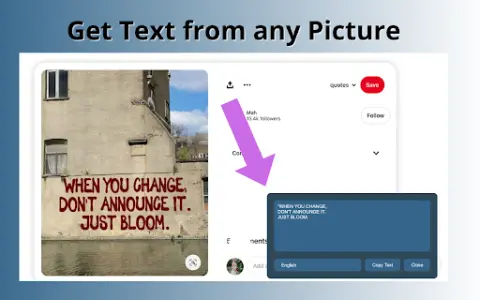
A free web-based tool for extracting text from images using OCR technology.
Introduction
A free web-based tool to extract text from images using OCR technology.
What is Pic to Text Converter ai chrome extension/plugin?
Image to Text Converter is a web-based tool that allows users to extract text from images using optical character recognition (OCR) technology. It supports multiple image formats and languages, providing a free and unlimited way to convert images into editable text.
How to use Pic to Text Converter ai chrome extension/plugin?
To use the image-to-text converter, upload an image via the "Choose File" button or drag and drop it into the input area. Click the "Extract Now" button to start the OCR process. The extracted text will be displayed and can be copied, downloaded or shared.
Pic to Text Converter ai chrome extension/plugin core features
Accurate OCR software
Multi-language support
Easy to share
No installation required
Free and unlimited use
Multi-language support
Easy to share
No installation required
Free and unlimited use
Related
CreativeMode
No need to write code; use AI to create my own Minecraft mod.
Essential for programmers: The journey of a request
A set of interactive system design courses: Each concept is presented through dynamic illustrations, guiding you through a step-by-step exploration of topics ranging from load balancing and caching to sharding, consensus mechanisms, queues, as well as the design of complete systems that can support millions of users, starting from a single server.
SaaS Toolkit
SaaS-based analysis, automation, and AI-powered customer service
ToolJet
An open-source platform for building AI tools and systems
aiteam.space
Each agent has its own container and email address.
MuseMate
Creating short music videos for independent musicians to use for promotional purposes