AI TOOL / #07221
GPT-4 Vision Screenshot
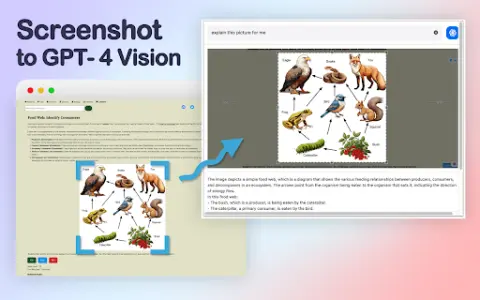
A tool that uses GPT-4 visual AI to extract answers from screenshots.
Introduction
A tool that extracts answers from screenshots using GPT-4 Vision AI.
What is the GPT-4 Vision Screenshot AI Chrome extension/plug-in?
GPT-4 Visual Screenshot is an innovative tool that allows users to select any area of the screen and pose relevant questions. GPT-4 Visual then directly extracts answers from the screenshot, intelligently interpreting the visual content with remarkable accuracy. By providing a fast, in-depth, and interactive search experience, it has completely transformed the way people obtain information.
How to use the GPT-4 Vision Screenshot AI Chrome extension/plug-in?
With just a simple shortcut key, you can select any area on the screen. Once you pose a question related to the selected area, GPT-4 Vision will directly extract the answer from the screenshot.
The core functions of the GPT-4 Vision screenshot AI Chrome extension/plugin
Use GPT-4 visual AI to extract answers from screenshots.
Related
VisualizeAI
Artificial intelligence tools convert wireframe diagrams into realistic 3D renderings, thereby enabling efficient design visualization.
Ogrovision
An AI-powered gardening design tool that allows users to create visual representations of gardens based on photos and descriptions.
Pool Planner AI
An AI tool that enables users to visualize the design of their pool in their backyard before actually beginning its construction.
The Generative Beings
Singapore's largest generative AI community, for founders, developers, and investors.
Trustero
The AI-based GRC platform is designed to automate ongoing compliance efforts and security-related tasks.
Msty
Msty simplifies using AI models with offline support, split-screen chat, and a unified interface.