AI TOOL / #07230
hahaOCR
Extract text from the image; press the ESC key to exit.
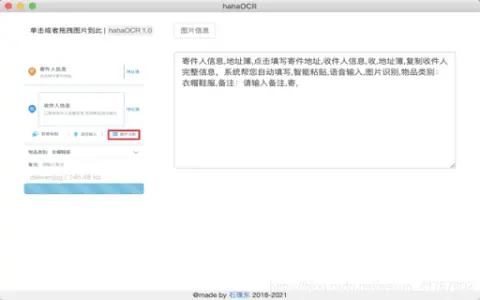
Introduction
Extract text from images and exit with ESC.
What are the Image to Text and ESC Exit App AI Chrome extensions/plugs?
This application allows users to extract text from images and convert it into editable text. Users can upload images by clicking a button and exit the application by pressing the “ESC” key.
How to use the Image to Text & ESC Exit App AI Chrome extension/plug-in?
Click the upload button to select an image. The application will automatically extract the text from the image and display it. Press the “ESC” key to exit the application.
The core functionality of the Image to Text and ESC Exit App AI Chrome extension/plugin.
Image to Text conversion
Use the ESC key to exit the function.
Use the ESC key to exit the function.
Related
MemoHugs
MemoHugs creates personalized AI avatars based on user memories, enabling lasting connections with loved ones.
Prosp
An all-powerful LinkedIn prospect generation and outreach tool.
ToneShift
An AI platform used for sound cloning, music separation, and sound conversion.
Vocca
An AI receptionist provided for clinics to handle incoming calls, schedule appointments, and reduce costs.
mirrArt
Mirr.Art uses AI to assist artists in planning, promoting, and selling their artworks, and also provides support to collectors.
ChatWork
A multi-task application integration tool that incorporates AI-based chat functionality.