AI TOOL / #07263
Photes.io
The AI note-taking assistant is capable of converting photos, PDF files, audio recordings, and videos into organized text notes.
Introduction
AI note-taking assistant that converts photos, PDFs, audio, and videos into organized text notes.
What is Pixno?
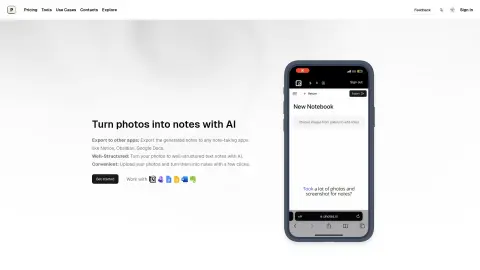
Pixno is an AI-powered note-taking assistant that can convert photos, PDF files, audio recordings, and videos into text-based notes. It utilizes advanced AI technologies, including GPT-4 Vision and GPT-4o, to understand the context and content of visual materials and generate well-structured notes. Pixno helps users stay focused and increase their productivity by offering features such as AI-enhanced image clarity and in-depth analysis of charts. Additionally, it integrates seamlessly with popular note-taking apps.
How to use Pixno?
Take photos, and upload PDF, audio, or video files to Pixno. In just a few seconds, the AI will automatically generate organized text notes for you. You can then export these notes to your preferred applications, such as Notion, Google Docs, or Microsoft Word.
The core features of Pixno
AI technology that generates notes from images, documents, and audio files
Integration with popular note-taking apps
Seamless multi-device synchronization
AI-driven text extraction and contextual understanding
Use external readings and summaries to supplement your notes.
Integration with popular note-taking apps
Seamless multi-device synchronization
AI-driven text extraction and contextual understanding
Use external readings and summaries to supplement your notes.
Related
China Blue TV
The official website of China Blue TV and Zhejiang Satellite TV allows users to watch all the channels of Zhejiang Satellite TV for free both on mobile devices and computers. The content is provided in high definition, and playback is also supported!
Compression of tiny PNG images
Tiny PNG is an intelligent online tool for compressing WEBP, PNG, and JPEG images. It utilizes advanced lossy compression techniques to reduce the size of these file formats. By selectively reducing the number of colors in an image, it minimizes the amount of data needed for storage.
Simulate the Windows upgrade interface
Fakeupdate is a perfect tool for slacking off – it simulates the process of your computer being upgraded or infected with a virus, allowing you to fool colleagues and friends into believing that you are currently unable to use your device.
NewCluinn
AI dictation and conferencing assistant on Mac
New fastBrowse
An open-source browser agent that can verify the results
New PatX: Knowledge and Exploration
AI Agent for Patent Drafting and Response