AI TOOL / #08927
EchoMark
Using invisible watermarks to protect against data leaks is suitable for files, images, and emails.
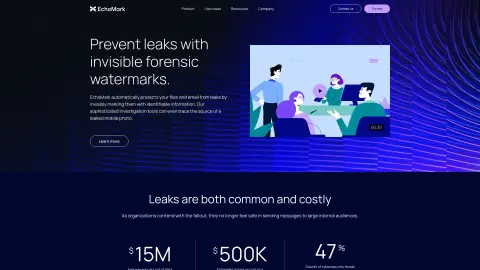
Introduction
Data leak prevention using invisible watermarks for documents, images, and email.
What is EchoMark?
EchoMark is a data leakage protection platform that uses invisible forensic watermarks to safeguard sensitive documents, images, and email communications. It helps organizations identify the sources of information leaks, prevent internal risks, and protect intellectual property rights. EchoMark offers solutions for businesses, governments, and defense agencies, providing peace of mind for anyone who comes into contact with confidential information.
How to use EchoMark?
EchoMark adds watermarks to files by sharing them with SecureView, or by automating the marking of emails and documents through integrations with Exchange or Workspace. Any leaked content can be uploaded to EchoMark’s investigation tool to trace its origin.
The core features of EchoMark
forensic watermark
Leakage investigation tool
Secure file sharing
Email protection
API integration
Leakage investigation tool
Secure file sharing
Email protection
API integration
Related
Youtube Video Summary
Use OpenAI to automatically generate summaries for lengthy transcription texts, and it supports multiple languages.
Point Is: AI Summary & Search
AI-based tools designed for summarizing and searching various types of files.
Vulse
A B2B employee communication platform and a LinkedIn content management system, both equipped with AI-powered tools.
AI Summary Pro: Instant Text & Page Insights
Chrome extension that provides AI functionality for web and PDF summarization in multiple languages.
FTech Summarizer
A Chrome extension for summarizing online content using OpenAI technology.
Glance
A Chrome extension designed for AI-powered web content summarization.