AI TOOL / #09384
Buildpad
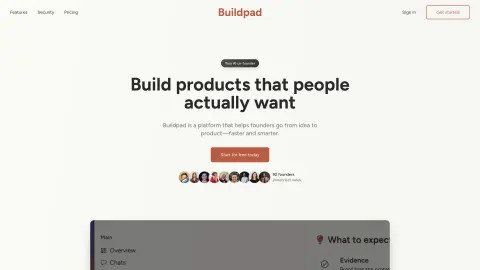
Buildpad helps founders transform their ideas into successful products by providing guidance and necessary tools.
Introduction
Buildpad helps founders turn ideas into successful products with guidance and tools.
What is Buildpad?
Buildpad is a platform that assists founders in transforming their ideas into successful products. It guides you through every step of the process, from validating your concepts to expanding your business, providing guidance at each stage. By offering tools and proven methodologies, Buildpad helps you create products that people truly want to use.
How to use Buildpad?
You can initially make use of three free phases to gather ideas, test your concepts, and gain an understanding of the market size. Follow the guided steps and utilize the provided tools to collaborate with your co-founders. Upgrading to the Starter or Pro plan will give you access to all phases as well as additional features.
The core functions of Buildpad
AI Partner
Creative validation
business strategy
Brand assistance
Project Memory (AI understands your project)
Collaboration tools
Supports uploading documents and images.
in-depth research capabilities
Related
Question Base
A knowledge base that utilizes artificial intelligence to automatically answer questions within Slack.
Cratecode
Interactive, non-linear programming courses that combine artificial intelligence guidance with user-generated content.
iAsk Ai Generative Ai Search Engine
A free AI search engine that provides unbiased, accurate answers.
One-Click Lesson
An AI-powered tool used for providing instant interpretations of highlighted text on web pages.
Text Selected
An extension for selecting text and retrieving relevant answers from a remote JSON file.
Shift-Ctrl-F: Semantic Search for the Browser
A Chrome extension that uses MobileBERT to search for and highlight answers on web pages.