AI TOOL / #06300
NirvanaAI extension
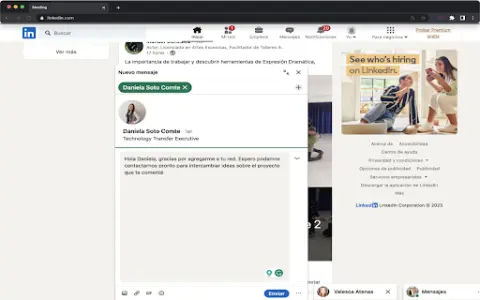
AI-based extensions for spelling correction, transcription, speaker recognition, and email integration.
Introduction
AI-powered extension for spelling, transcription, diarization, and email integration.
What is an AI Productivity Extension, such as the Chrome extension/plug-in for AI?
This extension offers AI-powered spelling correction, video and audio transcription functions, the ability to distinguish between speakers, as well as integration with email systems. Its purpose is to serve as a daily productivity aid for users, helping to simplify various tasks.
How to use the AI Productivity Extension for Chrome? How to install and use this extension/plug-in?
Install the extension in your browser or application. Once the installation is complete, the AI tool will become available within your workflow, allowing you to correct text, transcribe audio/video content, and manage emails.
The core functionality of the AI Productivity Extension for Chrome: an extension/plugin designed to enhance productivity through artificial intelligence technologies.
AI-driven spelling correction
Video and audio transcription
Distinguishing between video and audio speakers
Email integration
Related
Diaflow
An intelligent platform for rapidly building custom internal applications and generative AI tools.
Ask Screenshot for ChatGPT
Improve ChatGPT productivity by analyzing screenshots and selected text.
Noiz
AI-based YouTube video summarization tool for refining key points and efficient learning.
mdhub
The AI assistant in mental health clinics automates tasks and saves clinicians time.
Recorditor: Record your browser
Free AI-powered Edge extensions for efficient and secure screen recording and management.
Squire
AI-powered conversational intelligence software as a service automates data entry and enhances the efficiency of consultants.